

Gefen GTV-HDMI-2-HDMIAUD HDMI to HDMI Plus Audio Breakout Converter
Availability:
Special Order ItemThis item is not stocked and needs to be ordered from the manufacturer. Please contact our sales team for more information.
Description
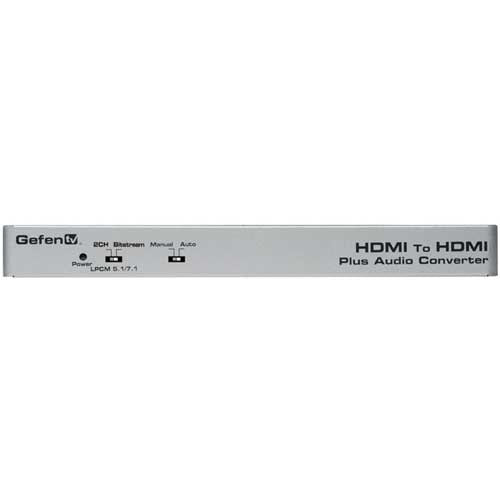
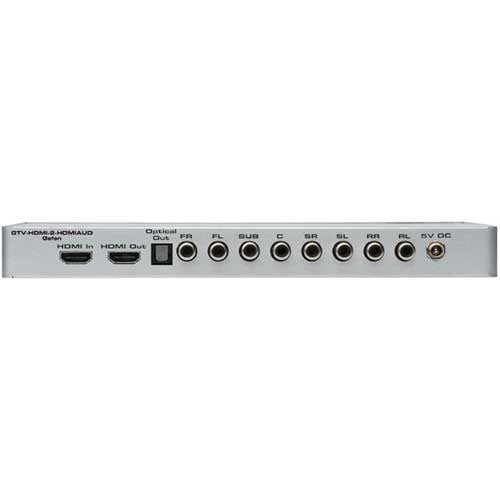
The GefenTV HDMI to HDMI Audio Converter is a product that takes a Hi-Def source using HDMI and outputs it to an HDTV display using HDMI and, in addition, up to 8 channels of LPCM audio output through eight RCA connectors. Bitstream is output to an Optical digital connector. Additional features include switchable audio selections between auto mode and manual mode affording further selection between two-channel audio only, multi-channel bitstream, and 7.1 LPCM audio. Connect a Hi-Def source to the GefenTV HDMI to HDMI Audio Converter's input with the included HDMI cable. Connect another HDMI cable from the output of the Converter to an HDTV display. Connect an optical audio cable from the Converter to an external amplifier. Alternatively connect an amplifier to the 8 channel RCA connectors. Finally connect the 5V DC power supply to the locking connector and to an electric outlet.
Features
- Switchable selection between Auto mode and Manual mode
- Bitstream Audio via Optical Toslink and LPCM 7.1 via 8 RCA connectors
- Locking power supply
| Maximum Pixel Clock |
The GefenTV HDMI to HDMI Audio Converter is a product that takes a Hi-Def source using HDMI and outputs it to an HDTV display using HDMI and, in addition, up to 8 channels of LPCM audio output through eight RCA connectors. Bitstream is output to an Optical digital connector. Additional features include switchable audio selections between auto mode and manual mode affording further selection between two-channel audio only, multi-channel bitstream, and 7.1 LPCM audio. Connect a Hi-Def source to the GefenTV HDMI to HDMI Audio Converter's input with the included HDMI cable. Connect another HDMI cable from the output of the Converter to an HDTV display. Connect an optical audio cable from the Converter to an external amplifier. Alternatively connect an amplifier to the 8 channel RCA connectors. Finally connect the 5V DC power supply to the locking connector and to an electric outlet. Features
|